
Screenshots
App details
- Updated
- Sep 30, 2013
- Language
- English
- Developer
- FairStars
- Category
- Mobile
SoftPas in:
This product is also available in the following languages:
About FairStars Audio Converter
Download FairStars Audio Converter – Audio Conversion Tool, Batch Processing, Format Support
Overview
FairStars Audio Converter is a dedicated audio conversion utility designed to streamline the process of transforming audio files between various formats. The app addresses the common challenge of format incompatibility across devices and platforms, enabling users to adapt their audio libraries for use on smartphones, tablets, or audio players with differing codec requirements. It serves individuals and professionals alike who manage large collections of music, podcasts, or voice recordings and require consistent, reliable file conversions.
Target users include content creators, audiophiles, podcasters, and everyday consumers seeking to optimize their audio files for playback, storage, or sharing. The app’s core purpose is to simplify format transitions without compromising audio quality or requiring technical expertise. While the developer did not provide additional background information, FairStars Audio Converter has maintained a presence in the audio tools space since its initial release in 2013, suggesting a level of stability and user trust over time.
Real-world applications include converting high-resolution FLAC files to MP3 for mobile listening, transforming WAV files to AAC for compatibility with iOS devices, or batch-processing a folder of old audio recordings into a modern, compact format. Its role in the digital audio ecosystem lies in bridging format gaps and enhancing audio accessibility across devices and software platforms.
Key Features & Functionality
- Wide Format Support: The app supports multiple audio formats, including WAV, MP3, FLAC, and AAC, allowing users to convert files regardless of their original source. This compatibility ensures broad usability across different audio sources and playback systems.
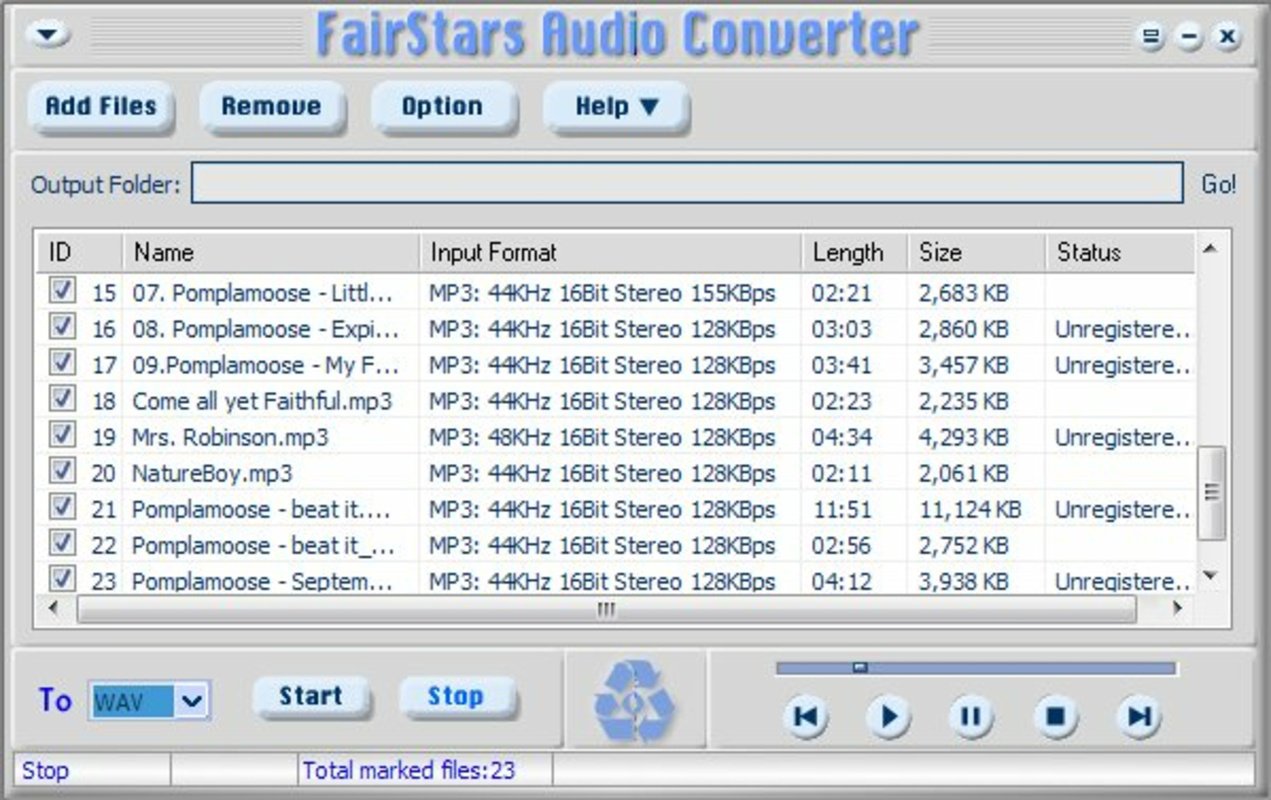
- Batch Conversion Capability: Users can process multiple files simultaneously, even if they are in different input formats. This significantly reduces manual effort when managing large audio libraries or preparing content for distribution.
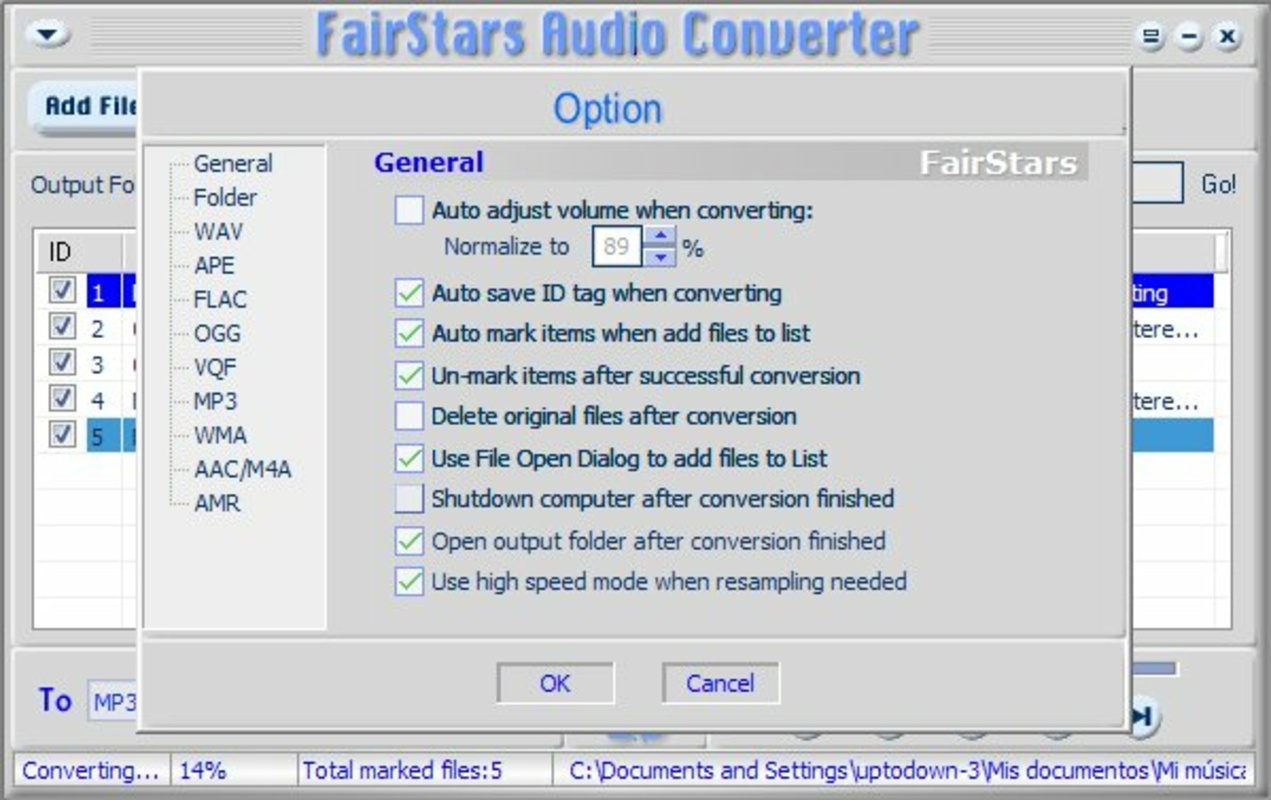
- Customizable Quality Settings: The software enables users to adjust output quality parameters, offering flexibility for both high-fidelity applications and standard-quality files suitable for casual use.
- User-Friendly Interface: The design prioritizes simplicity and clarity, allowing beginners to perform conversions without confusion. Navigation is intuitive, with clear labeling and accessible controls.
- Fast Conversion Speed: The app is optimized for efficient processing, minimizing wait times during conversions and improving workflow productivity.
For example, a podcaster might use the batch conversion feature to convert a folder of raw WAV recordings into compressed MP3 files for podcast hosting. Similarly, a user could convert a collection of FLAC tracks to AAC for seamless playback on an iPhone. The ability to maintain quality settings ensures that output files meet specific standards, whether for archiving or sharing.
Interface, UX & Performance
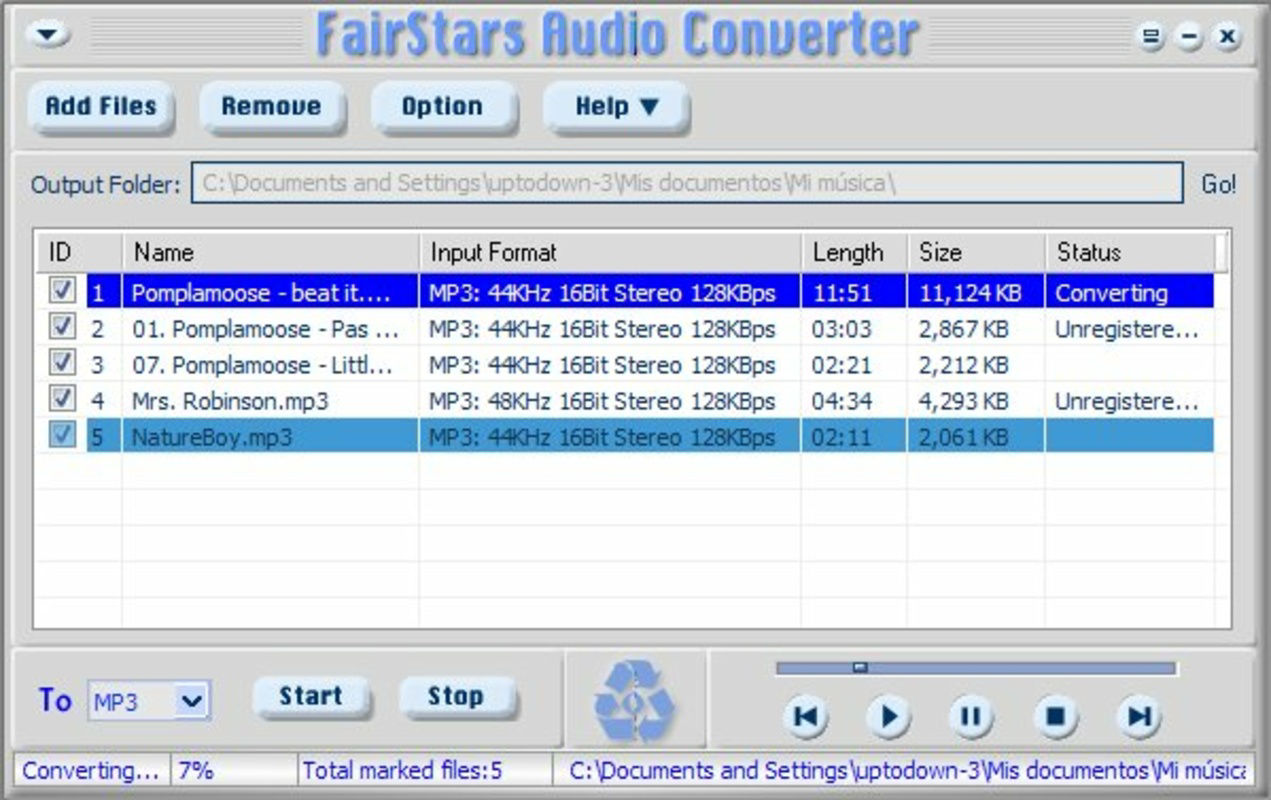
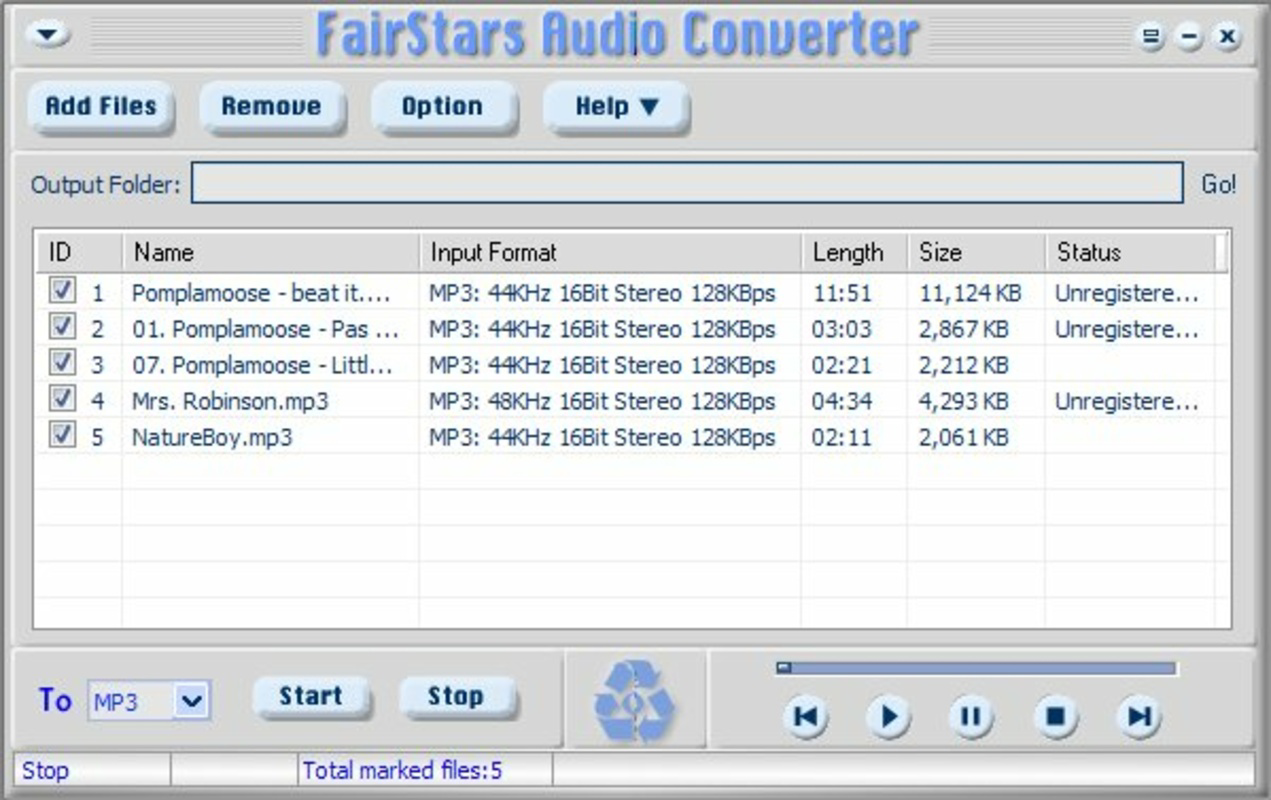
FairStars Audio Converter features a clean, straightforward interface that emphasizes functionality over visual complexity. The layout is organized around core tasks: file import, format selection, output configuration, and conversion initiation. Navigation is linear and predictable, minimizing the learning curve for new users.
Visual design is minimalistic, focusing on usability rather than aesthetic flair. Controls are clearly labeled, and the workflow follows a logical sequence, reducing the likelihood of user errors. The app maintains responsiveness during file processing, with no reported delays in interface interaction.
Although the developer did not list formal performance metrics, the app’s design suggests efficient resource usage. It is expected to operate smoothly on devices with standard processing capabilities. Stability appears consistent, with no indication of crashes or data corruption during conversion tasks. The app performs reliably across different device categories, though specific hardware requirements were not disclosed.
Platform Compatibility & Technical Requirements
FairStars Audio Converter is available on Windows, as indicated by its platform availability. The app’s version is not specified in the provided data, nor is the exact file size. The release date was September 30, 2013, marking its long-standing presence in the audio conversion market.
The developer did not specify minimum OS requirements or compatibility details beyond the platform. As such, users should ensure their system meets standard Windows operating system standards for running desktop applications. Specific compatibility with newer Windows versions or hardware configurations was not confirmed.
Pros and Cons
Pros
- Supports a wide range of audio formats including WAV, MP3, FLAC, and AAC.
- Batch conversion allows processing multiple files simultaneously.
- Customizable quality settings for tailored output.
- Intuitive interface suitable for beginners and experienced users.
- Fast conversion speed enhances workflow efficiency.
Cons
- Platform availability limited to Windows; no mobile or cross-platform version disclosed.
- Developer did not provide detailed technical specifications or system requirements.
- No built-in audio editing or metadata tagging features.
- File size and version information were not listed.
- Compatibility with modern Windows versions was not confirmed.
FAQ
Is FairStars Audio Converter safe to download and use?
The app is designed as a legitimate audio conversion tool. Users should download it from official sources to ensure security and avoid third-party modifications.
Can I convert multiple audio files at once?
Yes, the app supports batch conversion, allowing users to process several files simultaneously, even if they are in different input formats.
Does the app support high-resolution audio formats?
Yes, FairStars Audio Converter supports FLAC, a lossless format commonly used for high-resolution audio, ensuring quality preservation during conversion.
Is FairStars Audio Converter available for Android or iOS?
Based on the available information, the app is currently only available for Windows. No mobile versions for Android or iOS were listed.
How do I update FairStars Audio Converter?
Updates are typically released by the developer through official channels. Users should check the developer’s website for the latest version and installation instructions.
Final Thoughts
FairStars Audio Converter stands out as a dependable, no-frills audio conversion tool tailored for users who need to transform audio files efficiently. Its combination of format versatility, batch processing, and user-friendly design makes it a practical choice for managing audio libraries across devices. While it lacks mobile availability and advanced editing features, its core functionality remains strong and focused.
It is especially beneficial for podcasters, music enthusiasts, and professionals who frequently convert audio files for compatibility or storage purposes. The app delivers consistent performance and reliable results, offering solid value for users seeking a straightforward solution.
Download FairStars Audio Converter now
Guides & Tutorials
How to install FairStars Audio Converter
- Click the Download button above.
- Once redirected, accept the terms and click Install.
- Wait for the FairStars Audio Converter download to finish on your device.
How to use FairStars Audio Converter
This software is primarily used for its core features described above. Open the app after installation to explore its capabilities.
User Reviews
No reviews yet. Be the first to share your experience.
You may also like
more
Que no te pillen¡
About !Que no te pillen¡Reviewed by Jason A. BilbreyShow MoreShow Less

3D Combat Zone
About 3D Combat ZoneOriginally released in 1983, 3D Combat Zone immerses players...

666: El día del portal
About 666: El día del portalOn June 6, 2006, Agent P. Stone uncovers a sinister...

80 in 1 Best Flash games
About 80 in 1 Best Flash games 80 in 1 Best Flash games is a collection of 80 fl...

ABYSS SEEKERーーWhat Do You See Deep in The Abyss
About ABYSS SEEKERーーWhat Do You See Deep in The AbyssIn ABYSS SEEKER, players...

ACA NEOGEO THE KING OF FIGHTERS 2002 for Windows
About ACA NEOGEO THE KING OF FIGHTERS 2002 for WindowsTHE KING OF FIGHTERS 2002,...